10 Proven Ways to Monetize Your Content and Make Money in 2026

10 Proven Ways to MonetizeYour Content and Make Money in 2026 You’ve been creating content—blog posts, videos, podcasts, social media—and building an audience. But engagement doesn’t pay the bills. Views and likes don’t cover expenses. At some point, every content creator asks the same question: How do I actually make money from this? Here’s the good news: In 2026, content monetization is more accessible than ever. You don’t need millions of followers or viral posts. Modern platforms and strategies allow even small creators to generate sustainable income from their content. The global content marketing market is projected to hit $107 billion by 2026. The average content creator now earns between $67,000-$100,000 annually—surpassing many traditional 9-to-5 salaries. And creators who diversify their revenue streams earn an average of $8,038 per month, far exceeding those relying on a single income source. The key? Don’t rely on one monetization method. The most successful creators stack multiple revenue streams, reducing risk and maximizing earnings. This comprehensive guide reveals 10 proven ways to monetize your content in 2026. Whether you’re a blogger, YouTuber, podcaster, social media creator, or business owner creating content, you’ll find strategies that fit your situation and audience. 1. Paid Subscriptions and Memberships Recurring subscriptions provide the most stable, predictable revenue stream available to content creators. Why Subscriptions Work Unlike one-time purchases or unpredictable ad revenue, subscriptions create predictable monthly income. If you have 100 paying members at $10/month, that’s $1,000 guaranteed monthly revenue before you publish a single new piece of content. Subscriptions also: Build deeper audience relationships Create accountability (members expect value) Allow you to create without chasing algorithms Increase lifetime customer value Provide direct feedback on what your audience values What to Offer Successful subscription models provide clear, tangible value: Exclusive Content: Behind-the-scenes content Early access to new content Members-only videos, articles, or podcasts Extended cuts or director’s commentary Bonus content not available publicly Community Access: Private Discord or Slack channels Live Q&A sessions Members-only forums Direct messaging with you Networking with other members Premium Resources: Templates, worksheets, checklists Downloadable guides and ebooks Resource libraries Swipe files and examples Tools and calculators Learning Opportunities: Monthly masterclasses Office hours for questions Training videos Courses and certifications One-on-one consultation time Tiered Pricing Strategy Offer multiple membership levels to capture different audience segments: Basic Tier ($9-$19/month): Ad-free content Exclusive newsletter Basic community access Premium Tier ($29-$49/month): Everything in Basic Premium content library Monthly live sessions Advanced community features VIP Tier ($99-$199/month): Everything in Premium Direct access to you One-on-one consultation Exclusive events or meetups Input on future content Platforms for Subscriptions Patreon: Most popular, established platform with built-in audience Substack: Perfect for newsletter-based content Memberful: Integrates with your website Ko-fi: Simple, low-fee option Circle: Community-focused platform Discord + Memberspace: DIY combination for maximum control Realistic Revenue: Creators with 100-500 paying members typically earn $3,000-$15,000 monthly from subscriptions alone. 2. Sponsored Content and Brand Partnerships Brands will pay you to create content featuring their products or services—and in 2026, they’re increasingly interested in smaller, niche audiences with high engagement. Why Sponsorships Work Now You don’t need millions of followers. Brands have learned that micro-influencers (1,000-10,000 engaged followers) often deliver better ROI than celebrities because: Audiences trust them more They have higher engagement rates They reach specific, valuable niches They’re more affordable for brands By 2026, sponsorships are projected to be the primary income source for 82% of content creators. Types of Sponsored Content Dedicated Posts/Videos: Entire piece of content featuring the brand Product Integrations: Natural mentions within regular content Brand Ambassadorships: Ongoing relationships with regular mentions Affiliate Partnerships with Bonuses: Sponsored content plus commission How to Land Sponsorships Build a Media Kit: Audience demographics Engagement statistics Traffic/view numbers Previous work examples Testimonials from past partners Pricing options Pitch Brands Directly: Don’t wait for brands to find you. Research companies aligned with your audience and pitch them. Explain: Who your audience is Why they’re valuable to the brand What type of content you’ll create Specific deliverables and timeline Your pricing Join Creator Networks: AspireIQ CreatorIQ Influence.co Collabstr Tribe These platforms connect brands with creators. Pricing Your Sponsorships Common pricing models: Flat Rate: $500-$5,000+ per post depending on audience size and engagement CPM (Cost Per Thousand Views): $20-$100 CPM Hybrid: Flat fee plus performance bonuses General Formula: 1,000-5,000 followers: $100-$500 per post 5,000-25,000 followers: $500-$2,000 per post 25,000-100,000 followers: $2,000-$10,000 per post 100,000+ followers: $10,000-$100,000+ per post Adjust based on engagement rate (higher engagement = higher rates). Maintain Trust Always disclose sponsored content. Use #ad, #sponsored, or clear disclaimers. Your audience trusts you—don’t jeopardize that for short-term money. Only partner with brands you genuinely recommend. If you wouldn’t use the product yourself, don’t promote it. 3. Affiliate Marketing Earn commissions by recommending products and services you genuinely use and love. How Affiliate Marketing Works You get a unique tracking link. When someone purchases through your link, you earn a commission (typically 5-30% of the sale price). Why It Works No product creation required Passive income potential Natural fit for helpful content Performance-based (no upfront costs for brands) Scalable (one recommendation can generate income indefinitely) Top Affiliate Programs Amazon Associates: 1-10% commission on massive product catalog ShareASale: Thousands of merchants across categories Impact: High-quality brands, good commissions ClickBank: Digital products, high commissions (30-75%) CJ Affiliate: Major brands, established network Rakuten Advertising: Premium brands Creator-Specific: LTK (LikeToKnowIt): Fashion, lifestyle, home decor RewardStyle: Influencer-focused PartnerStack: SaaS and software products Best Practices Only recommend products you’ve actually used or thoroughly researched. Your credibility depends on it. Create valuable content around products: Detailed reviews How-to guides featuring products Product comparisons “Best of” lists Tutorial videos Disclose affiliate relationships clearly: “This post contains affiliate links, meaning I earn a commission if you make a purchase through my links at no additional cost to you.” Track what converts: Different products and content types will perform differently. Double down on what works. Realistic Revenue: Successful affiliate marketers earn $1,000-$10,000+ monthly. Top performers earn six figures annually. 4. Digital Products Create once, sell
10 Obsolete SEO Tactics That Will Hurt Your Rankings in 2026
How to Get Your Facebook Page or Account Verified in 2026 That blue checkmark on Facebook isn’t just about status—it’s about credibility, visibility, and trust. In an era where fake accounts and impersonation are rampant, Facebook verification has become essential for businesses, creators, and public figures who want to establish authentic online presences. But getting verified on Facebook isn’t automatic, and it’s not always easy. The process has evolved significantly, especially with the introduction of Meta Verified, Facebook’s paid subscription service. Now there are two distinct paths to verification: the traditional free route (which is highly selective) and the paid Meta Verified program (which is more accessible but still requires meeting specific criteria). Whether you’re a small business owner trying to build credibility, a content creator protecting your brand, or an organization looking to stand out in search results, this comprehensive guide will walk you through everything you need to know about Facebook verification in 2026. What Is Facebook Verification? Facebook verification is the process by which Meta confirms that an account or Page authentically represents the person, brand, or organization it claims to represent. Verified accounts and Pages display a blue checkmark badge next to their name, signaling to users that Facebook has validated their authenticity. The blue verification badge serves several purposes: Trust Signal: It tells users they’re interacting with the real account, not an imposter or fan page. Search Priority: Verified Pages and accounts appear higher in Facebook search results, making them easier to find. Brand Protection: It makes impersonation more difficult and helps prevent confusion among your audience. Feature Access: Verified accounts may gain access to additional features, analytics, and advertising options. Professional Credibility: For businesses and public figures, the badge adds legitimacy and professionalism. Two Paths to Verification in 2026 As of 2026, there are two distinct ways to get verified on Facebook: Traditional (Free) Verification This is the original verification program Facebook launched in 2013. It’s completely free but highly selective. Facebook evaluates accounts based on authenticity, uniqueness, completeness, and notability. This path is increasingly difficult to navigate as Facebook prioritizes its paid program. Who It’s For: Well-known public figures, major brands, entities frequently searched for on Facebook, and accounts with significant media coverage. Meta Verified (Paid Subscription) Launched in 2023, Meta Verified is a subscription service that provides verification badges along with additional benefits. Pricing varies by plan: Standard Plan: $14.99/month Plus Plan: $49.99/month Premium Plan: $149.99/month Max Plan: $499.99/month (for large businesses with employee protection) Who It’s For: Anyone willing to pay and meet basic authentication requirements, including small businesses, emerging creators, and professionals building their online presence. Important: Even paid subscribers must meet eligibility requirements and provide government-issued ID. Payment doesn’t guarantee approval—it just makes the process more accessible. Requirements for Traditional (Free) Verification If you’re pursuing the free verification route, Facebook has strict eligibility criteria: Authenticity Your account or Page must represent a real person, registered business, or legitimate entity. You’ll need to provide documentation proving your identity or business registration. Uniqueness You must be the only Facebook presence for that person or business. Exceptions exist for language-specific accounts (like “@YourBrand” and “@YourBrandFrancais”), but generally, one person or entity gets one verified account. Completeness Your profile or Page must be fully filled out, including: Profile photo Cover photo (for Pages) About section with complete information At least one recent post Active engagement history Notability This is the most challenging requirement. Facebook wants to verify accounts that people actually search for and care about. You need to demonstrate public interest through: Significant media coverage (news articles, interviews, features) Large following (no official minimum, but typically 10K+ helps significantly) High search volume for your name or brand Recognition in your industry or field Documentation for Notability: Links to news articles mentioning you/your brand (up to 5) Press releases or media coverage Evidence of search demand for your name Industry awards or recognition Verified presence on other platforms Policy Compliance You must follow Facebook’s Terms of Service and Community Standards. Any violations disqualify you from verification and can result in losing an existing badge. Step-by-Step: Applying for Traditional Verification If you believe you meet the eligibility criteria, here’s the exact process: Step 1: Access the Verification Request Form While logged into Facebook with admin permissions for the Page you want to verify (or logged into the profile you want verified), navigate to Facebook’s verification request form. Note that this link only works if you’re properly logged in with admin access. Step 2: Choose Your Verification Type Select whether you’re verifying a Page or personal profile. The requirements are similar, but profile verification tends to be more stringent as it’s typically reserved for public figures. If verifying a Page, select which Page from the dropdown menu of Pages you manage. Step 3: Upload Authentication Documents For personal profiles: Government-issued photo ID (driver’s license, passport, national ID) Must show your legal name and photo For business Pages: Business license or registration Tax registration documents Articles of incorporation Official business documentation confirming legal entity Important: Self-filed tax documents are typically not accepted. You need official government-issued business documentation. Step 4: Select Your Category Choose the category that best describes your Page or profile: News/Media Sports Music Entertainment Government/Politics Brand/Product Artist/Public Figure Local Business Choose carefully—your category affects how Facebook evaluates your notability. Step 5: Provide Country and Audience Information Enter your primary country or region, describe your audience or followers, and include any alternate names or acronyms (AKAs) your brand or persona is known by. Step 6: Demonstrate Notability This is the most critical step. Provide links to up to five sources that demonstrate public interest in your account: News articles mentioning you or your brand Media interviews or features Industry publications Verified Wikipedia page High-authority website mentions Choose your strongest evidence. Quality matters more than quantity—one feature in a major publication beats five small blog mentions. Step 7: Submit and Wait After completing all sections, click “Send” to submit your application. Processing Time: Facebook’s
7 Video Marketing Strategy Tips for Small Businesses in 2026
7 Video Marketing StrategyTips for Small Businesses in 2026 If you’re not using video marketing yet, you’re leaving money on the table. If you are using video but treating it as an afterthought—posting randomly without strategy—you’re wasting your effort. Video isn’t just another marketing channel anymore. It’s the channel. By 2026, video is expected to account for over 80% of all internet traffic. More importantly, 8 out of 10 people say they’d rather watch a video than read text when researching products or services. The numbers tell a clear story: 93% of marketers report that video has given them solid ROI 84% say video has directly increased sales 91% of businesses now use video as part of their marketing strategy But here’s the thing: throwing together random videos and hoping for results doesn’t work. You need a strategy—a thoughtful approach that aligns video content with your business goals, reaches your target audience where they actually watch, and turns viewers into customers. This guide provides seven practical video marketing strategy tips specifically for small businesses. You don’t need Hollywood budgets or professional production crews. You need clarity, consistency, and these proven strategies. Tip #1: Define Your Video Marketing Goals Before filming a single second, answer this question: What do you want your videos to accomplish? Random video creation leads to wasted resources. Strategic video marketing drives measurable business results. Common Video Marketing Goals Awareness: Introduce your brand to new audiences, increase visibility, grow social media following. Education: Explain your products/services, answer common questions, demonstrate how things work. Consideration: Help potential customers evaluate whether your solution fits their needs, showcase features and benefits. Conversion: Drive purchases, generate leads, encourage demo requests or consultations. Retention: Support existing customers, reduce support tickets, increase satisfaction and loyalty. Advocacy: Encourage referrals, generate user content, build community around your brand. Match Video Types to Goals Different goals require different video types: For Awareness: Short-form social videos, brand story videos, entertaining content For Education: Explainer videos, tutorials, how-to guides, product demos For Consideration: Comparison videos, customer testimonials, case studies For Conversion: Product showcase videos, limited-time offer announcements, landing page videos For Retention: Onboarding videos, feature update announcements, customer success stories For Advocacy: User-generated content campaigns, behind-the-scenes content, community highlights Set Specific, Measurable Targets Vague goals like “get more views” don’t drive strategy. Specific targets do: “Increase website traffic from YouTube by 30% in 6 months” “Generate 50 qualified leads per month from video content” “Reduce customer support tickets by 20% through tutorial videos” “Achieve 10,000 views on product launch video within first week” Specific targets let you measure success and optimize your approach. Tip #2: Know Your Audience and Where They Watch Creating great video content for the wrong audience or posting on platforms they don’t use wastes your effort entirely. Build Audience Profiles Understand who you’re creating for: Demographics: Age, location, gender, income level, occupation Psychographics: Interests, values, challenges, aspirations Behavior: Where they spend time online, what devices they use, when they’re active Pain Points: What problems keep them up at night Content Preferences: Do they prefer educational, entertaining, or inspirational content? Match Platforms to Audiences Different platforms attract different demographics and viewing behaviors: YouTube: Broad demographic reach Best for: Long-form content (3-15 minutes), tutorials, product reviews, educational content Audience mindset: Active searching, learning, researching Instagram (Reels & Stories): Younger audience (18-34 primary demographic) Best for: Short-form content (15-90 seconds), behind-the-scenes, lifestyle content, product showcases Audience mindset: Casual browsing, entertainment, inspiration TikTok: Gen Z and younger millennials dominant Best for: Very short content (15-60 seconds), trends, authentic/casual style, entertainment Audience mindset: Entertainment, discovery, authenticity over polish LinkedIn: Professional audience, B2B focus Best for: Industry insights, thought leadership, company culture, professional tips Audience mindset: Career development, business learning, networking Facebook: Older demographic (30+) Best for: Community building, longer-form stories, event promotion, local business content Audience mindset: Staying connected, community engagement Your Website: All demographics (your existing traffic) Best for: Product demos, explainer videos, testimonials, homepage videos Audience mindset: High intent, actively researching your business The Platform-Specific Mistake Don’t create one video and post it everywhere unchanged. Each platform has different: Optimal video length Aspect ratio (vertical vs. horizontal vs. square) Audience expectations Algorithm preferences Caption/hashtag conventions A YouTube tutorial repurposed as-is to TikTok will fail. Adapt content for each platform. Tip #3: Start with These Essential Video Types You don’t need dozens of different video types. Start with these five core videos that deliver the most value for small businesses: 1. Brand Story Video (60-90 seconds) Your “who we are and why we exist” video. This is often the first video potential customers watch. What to include: Who you are (introduce yourself/team) What problem you solve Why you started this business What makes you different Your mission or values Where to use it: Homepage, About page, social media profiles, email signatures Why it works: Builds immediate connection and trust. People buy from businesses they feel connected to. 2. Product/Service Explainer Video (90-120 seconds) Clearly demonstrates what you offer and how it works. What to include: The problem your customer faces How your product/service solves it Key features and benefits Call-to-action Where to use it: Homepage, product pages, sales presentations, paid ads Why it works: Clarifies complex offerings, answers “what is this?” immediately, moves prospects toward purchase decision. 3. Customer Testimonial Videos (30-90 seconds each) Real customers sharing their experience with your business. What to include: Customer’s problem before finding you How your solution helped Specific results or benefits Why they’d recommend you Where to use it: Website testimonial section, product pages, social media, email marketing Why it works: Social proof is powerful. Hearing real people share positive experiences builds trust better than any marketing claim. 4. How-To or Tutorial Videos (2-10 minutes) Educational content showing how to do something related to your products/services. What to include: Clear problem statement Step-by-step demonstration Visual proof it works Tips for success Where to use it: YouTube, blog posts, email marketing, customer support Why it works: Demonstrates expertise, provides genuine value,
8 E-Commerce SEO Tips to Boost Organic Traffic in 2026

How to Get Your Facebook Page or Account Verified in 2026 That blue checkmark on Facebook isn’t just about status—it’s about credibility, visibility, and trust. In an era where fake accounts and impersonation are rampant, Facebook verification has become essential for businesses, creators, and public figures who want to establish authentic online presences. But getting verified on Facebook isn’t automatic, and it’s not always easy. The process has evolved significantly, especially with the introduction of Meta Verified, Facebook’s paid subscription service. Now there are two distinct paths to verification: the traditional free route (which is highly selective) and the paid Meta Verified program (which is more accessible but still requires meeting specific criteria). Whether you’re a small business owner trying to build credibility, a content creator protecting your brand, or an organization looking to stand out in search results, this comprehensive guide will walk you through everything you need to know about Facebook verification in 2026. What Is Facebook Verification? Facebook verification is the process by which Meta confirms that an account or Page authentically represents the person, brand, or organization it claims to represent. Verified accounts and Pages display a blue checkmark badge next to their name, signaling to users that Facebook has validated their authenticity. The blue verification badge serves several purposes: Trust Signal: It tells users they’re interacting with the real account, not an imposter or fan page. Search Priority: Verified Pages and accounts appear higher in Facebook search results, making them easier to find. Brand Protection: It makes impersonation more difficult and helps prevent confusion among your audience. Feature Access: Verified accounts may gain access to additional features, analytics, and advertising options. Professional Credibility: For businesses and public figures, the badge adds legitimacy and professionalism. Two Paths to Verification in 2026 As of 2026, there are two distinct ways to get verified on Facebook: Traditional (Free) Verification This is the original verification program Facebook launched in 2013. It’s completely free but highly selective. Facebook evaluates accounts based on authenticity, uniqueness, completeness, and notability. This path is increasingly difficult to navigate as Facebook prioritizes its paid program. Who It’s For: Well-known public figures, major brands, entities frequently searched for on Facebook, and accounts with significant media coverage. Meta Verified (Paid Subscription) Launched in 2023, Meta Verified is a subscription service that provides verification badges along with additional benefits. Pricing varies by plan: Standard Plan: $14.99/month Plus Plan: $49.99/month Premium Plan: $149.99/month Max Plan: $499.99/month (for large businesses with employee protection) Who It’s For: Anyone willing to pay and meet basic authentication requirements, including small businesses, emerging creators, and professionals building their online presence. Important: Even paid subscribers must meet eligibility requirements and provide government-issued ID. Payment doesn’t guarantee approval—it just makes the process more accessible. Requirements for Traditional (Free) Verification If you’re pursuing the free verification route, Facebook has strict eligibility criteria: Authenticity Your account or Page must represent a real person, registered business, or legitimate entity. You’ll need to provide documentation proving your identity or business registration. Uniqueness You must be the only Facebook presence for that person or business. Exceptions exist for language-specific accounts (like “@YourBrand” and “@YourBrandFrancais”), but generally, one person or entity gets one verified account. Completeness Your profile or Page must be fully filled out, including: Profile photo Cover photo (for Pages) About section with complete information At least one recent post Active engagement history Notability This is the most challenging requirement. Facebook wants to verify accounts that people actually search for and care about. You need to demonstrate public interest through: Significant media coverage (news articles, interviews, features) Large following (no official minimum, but typically 10K+ helps significantly) High search volume for your name or brand Recognition in your industry or field Documentation for Notability: Links to news articles mentioning you/your brand (up to 5) Press releases or media coverage Evidence of search demand for your name Industry awards or recognition Verified presence on other platforms Policy Compliance You must follow Facebook’s Terms of Service and Community Standards. Any violations disqualify you from verification and can result in losing an existing badge. Step-by-Step: Applying for Traditional Verification If you believe you meet the eligibility criteria, here’s the exact process: Step 1: Access the Verification Request Form While logged into Facebook with admin permissions for the Page you want to verify (or logged into the profile you want verified), navigate to Facebook’s verification request form. Note that this link only works if you’re properly logged in with admin access. Step 2: Choose Your Verification Type Select whether you’re verifying a Page or personal profile. The requirements are similar, but profile verification tends to be more stringent as it’s typically reserved for public figures. If verifying a Page, select which Page from the dropdown menu of Pages you manage. Step 3: Upload Authentication Documents For personal profiles: Government-issued photo ID (driver’s license, passport, national ID) Must show your legal name and photo For business Pages: Business license or registration Tax registration documents Articles of incorporation Official business documentation confirming legal entity Important: Self-filed tax documents are typically not accepted. You need official government-issued business documentation. Step 4: Select Your Category Choose the category that best describes your Page or profile: News/Media Sports Music Entertainment Government/Politics Brand/Product Artist/Public Figure Local Business Choose carefully—your category affects how Facebook evaluates your notability. Step 5: Provide Country and Audience Information Enter your primary country or region, describe your audience or followers, and include any alternate names or acronyms (AKAs) your brand or persona is known by. Step 6: Demonstrate Notability This is the most critical step. Provide links to up to five sources that demonstrate public interest in your account: News articles mentioning you or your brand Media interviews or features Industry publications Verified Wikipedia page High-authority website mentions Choose your strongest evidence. Quality matters more than quantity—one feature in a major publication beats five small blog mentions. Step 7: Submit and Wait After completing all sections, click “Send” to submit your application. Processing Time: Facebook’s
Content Marketing 101: The Ultimate Beginner’s Guide for 2026
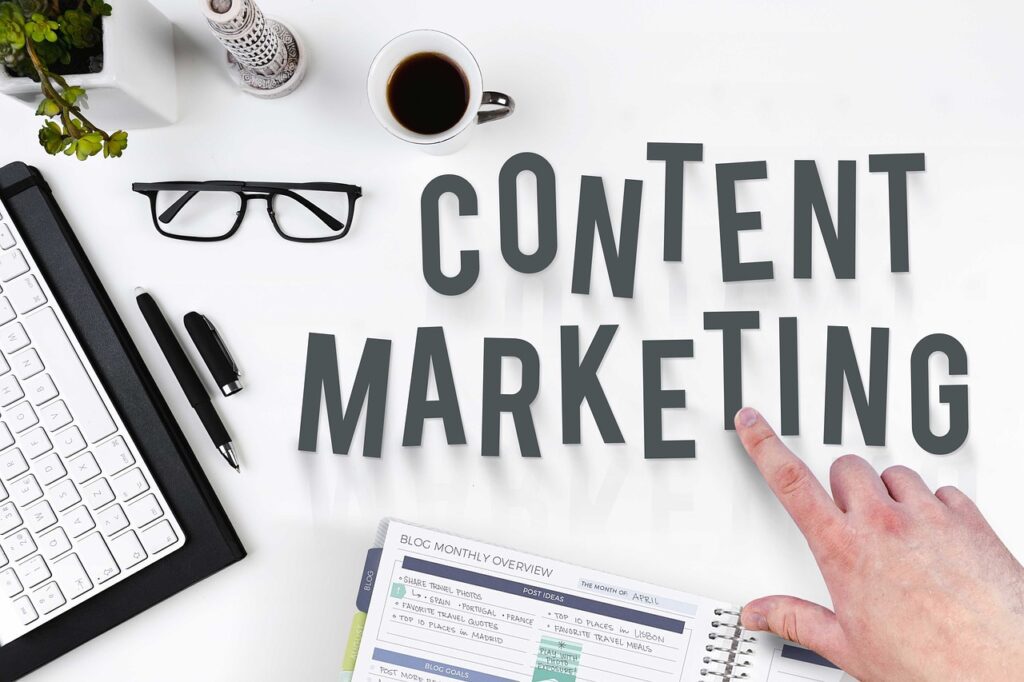
Content Marketing 101:The Ultimate Beginner’s Guide for 2026 If you’re reading this, you’ve probably heard that “content marketing is essential” about a hundred times. You know you should be doing it. But what exactly is content marketing, how does it work, and where do you even start? This guide answers all those questions. Whether you’re a small business owner, a marketing professional just getting started, or someone tasked with building a content strategy from scratch, you’ll learn the fundamentals of content marketing and get a clear, actionable plan to implement it successfully. No jargon. No overwhelming theory. Just practical guidance that works in 2026. What Is Content Marketing? Content marketing is a strategic approach to marketing that focuses on creating and distributing valuable, relevant content to attract and retain a clearly defined audience—and ultimately drive profitable customer action. Let’s break that down: Strategic Approach: Content marketing isn’t random. It follows a planned strategy aligned with business goals. Valuable and Relevant: The content must actually help your audience, not just promote your products. Attract and Retain: You’re building an audience over time, not just chasing one-time transactions. Clearly Defined Audience: You create content for specific people with specific needs, not “everyone.” Drive Profitable Action: The end goal is business results—leads, sales, retention, brand awareness. Here’s what content marketing is NOT: Traditional advertising Hard-selling or aggressive promotion Random social media posts with no strategy Content created just to rank in Google without providing value Why Content Marketing Works Traditional advertising interrupts people. Content marketing attracts them. When you run ads, you’re pushing messages at people whether they want to hear from you or not. With content marketing, people actively seek out and engage with your content because it provides value to them. The Numbers Tell the Story: Content marketing costs 62% less than traditional marketing but generates 3x more leads 91% of B2B marketers and 86% of B2C marketers use content marketing as a core strategy Organic search (driven largely by content) remains the #1 traffic source for most websites Content marketing has a compound effect—unlike paid ads that stop working when you stop paying, good content continues attracting visitors months or years after publication The Real-World Impact: Companies like John Deere have used content marketing since 1895 with their magazine “The Furrow.” Michelin created their famous guidebook in 1900. These are over 100-year-old examples of content marketing that still work today. The medium has changed, but the principle remains: provide genuine value to your audience, build trust, and business results follow. Building Your Content Marketing Strategy Random content creation leads to frustration and wasted effort. Strategic content marketing delivers measurable results. Here’s how to build your strategy: Step 1: Define Your Audience You cannot create effective content for “everyone.” You need to understand specifically who you’re creating for. Create detailed buyer personas that include: Demographics (age, location, job title, income) Psychographics (values, interests, challenges, goals) Behavior (where they spend time online, how they consume content, what devices they use) Pain points (what problems keep them up at night) Questions (what they need answers to) Actionable Tip: Interview 5-10 existing customers. Ask them what challenges they faced before finding your solution, what questions they had, and where they looked for answers. This real-world insight beats assumptions every time. Step 2: Set Clear, Measurable Goals “We want more traffic” isn’t a goal. “Increase organic traffic by 30% in 6 months” is. Common content marketing goals: Awareness: Increase brand visibility, grow audience, improve search rankings Consideration: Generate leads, build email list, increase engagement Conversion: Drive sales, increase demo requests, improve customer retention Advocacy: Encourage referrals, generate user testimonials, build community Choose 2-3 primary goals for your first year. More than that and you’ll lose focus. Step 3: Choose Your Content Pillars Content pillars are 3-5 core themes you’ll consistently create content around. These should align with: Your business expertise Your audience’s interests and needs Topics where you can provide unique value Example for a web design company: Website Performance & Speed User Experience & Conversion SEO & Online Visibility Website Security Content Strategy Every piece of content you create should fall under one of these pillars. This builds topical authority and keeps your messaging focused. Step 4: Conduct Content Research Before creating anything, research what your audience actually cares about: Keyword Research: Use tools like Google Keyword Planner, Ahrefs, or SEMrush to identify what people search for in your niche. Competitor Analysis: What content performs well for competitors? What gaps can you fill? Customer Questions: What do customers ask your sales team? What support tickets are common? These questions are content gold. Search Intent: Understand whether people searching a term want information, to make a purchase, to find a specific website, or to compare options. Step 5: Create Your Content Calendar A content calendar prevents the stress of “what should we post today?” Plan at least one month ahead (preferably three months). Your calendar should include: Topic/title Content format (blog, video, infographic) Publishing date Distribution channels Person responsible Status (idea, in progress, completed, published) Balance Your Content Mix: 70% educational/helpful content 20% shared industry content/news 10% promotional content about your products/services Creating Quality Content Strategy means nothing without execution. Here’s how to create content that actually works: The Content Creation Process Research and Outline: Gather information, examples, data. Create a detailed outline before writing. Create First Draft: Get your ideas down without perfectionism. Edit and Refine: Improve clarity, flow, and readability. Optimize: Add keywords naturally, create compelling headlines, include internal links. Add Visual Elements: Include images, graphics, or videos to enhance understanding. Review: Check for accuracy, clarity, and alignment with brand voice. Elements of Great Content Solves Real Problems: Your content should answer questions, provide solutions, or teach something valuable. Demonstrates Expertise: Show you know what you’re talking about through specific examples, data, and unique insights. Engages the Reader: Use stories, examples, analogies. Make complex topics understandable. Properly Formatted: Use headings, bullet points, and short paragraphs. Make content scannable. Includes Clear CTAs: Tell
Content Repurposing: Keep Your Marketing Pipeline Full in 2026
Repurposing Content: How to Keep Your Marketing Pipeline Full Without Burning Out Here’s the content marketing paradox that traps most small businesses: You know you need to publish consistently across multiple platforms to stay visible. But creating original content for every channel—blogs, social media, email, video, podcasts—is exhausting, time-consuming, and often unsustainable. The solution isn’t working harder or hiring a massive content team. It’s working smarter through strategic content repurposing. Content repurposing is the practice of taking one piece of content and adapting it into multiple formats for distribution across different platforms. Instead of creating from scratch every time, you extract maximum value from your best work by giving it new life in new forms. Done right, content repurposing can turn a single blog post into a month’s worth of social content, podcast episodes, videos, infographics, and email newsletters. It saves time, extends your reach, reinforces key messages, and ensures your best ideas get the attention they deserve. This comprehensive guide will show you exactly how to build a sustainable content repurposing system that keeps your marketing pipeline full without the constant pressure to create something new. Why Content Repurposing Works Before diving into the how, let’s understand why repurposing is one of the smartest content strategies available: Different Audiences Prefer Different Formats Some people love reading long-form articles. Others prefer watching videos. Still others listen to podcasts during their commute or scroll through visual content on Instagram. By repurposing your content into multiple formats, you reach people who would never engage with your original format. Research shows that 73% of people prefer short videos when discovering new products, while others still prefer detailed written guides. You’re not duplicating content—you’re making it accessible to different learning styles and consumption preferences. Repetition Reinforces Your Message Marketing wisdom holds that people need to encounter a message 7-10 times before taking action. Repurposing lets you deliver the same core message through different channels and formats without literal repetition. When someone sees your LinkedIn post, then encounters the same concept in your newsletter, and later watches a video on the topic, the repetition strengthens recall and builds familiarity with your brand. Platform-Specific Audiences Rarely Overlap Completely Your YouTube subscribers aren’t necessarily following you on LinkedIn. Your email list doesn’t see all your Instagram posts. Your blog readers might not know you have a podcast. Repurposing ensures your best content reaches audiences across all your platforms, maximizing its impact regardless of where people prefer to engage with you. It’s More Efficient Than Starting Fresh Creating quality content is resource-intensive. It requires research, outlining, writing/producing, editing, optimizing, and promoting. When you repurpose, you’ve already done the heavy lifting. Adapting existing content into new formats takes a fraction of the time compared to starting from scratch. SEO Benefits Compound When you repurpose content across your own platforms (blog, YouTube, podcast), you create multiple entry points for the same topics. Internal linking between related content pieces signals topical authority to search engines, potentially boosting rankings across all related content. The Content Repurposing Framework Effective repurposing isn’t about randomly converting content between formats. It follows a strategic framework: Step 1: Start With Pillar Content Pillar content is comprehensive, evergreen, valuable material that thoroughly covers an important topic. This becomes your source of truth—the foundation from which all repurposed content flows. Good Pillar Content Characteristics: Comprehensive (1,500+ words for written content) Evergreen (remains relevant for months or years) High-value (solves real problems or answers important questions) Original (contains unique insights, data, or perspectives) Well-researched (backed by facts, examples, statistics) Examples of Pillar Content: In-depth how-to guides Original research reports Comprehensive case studies Recorded webinars or workshops Long-form interviews with experts Step 2: Map Derivative Pieces Before creating pillar content, plan how you’ll repurpose it. This intentional approach ensures your original content is structured to support multiple formats. The One-to-Many Principle: One piece of pillar content should generate 10-20 derivative pieces. This isn’t about stretching thin content across too many platforms—it’s about extracting all the valuable insights from substantial source material. Step 3: Adapt, Don’t Just Resize The biggest mistake in content repurposing is simply copying and pasting with minor adjustments. Each platform has its own language, style, format preferences, and audience expectations. Effective repurposing means: Adjusting tone for the platform (LinkedIn professional vs. Instagram casual) Reformatting for consumption style (scannable bullets vs. narrative flow) Optimizing for platform specs (video lengths, image dimensions, character limits) Adding platform-specific elements (hashtags, captions, calls-to-action) Repurposing Strategies by Content Type Let’s get specific about how to repurpose different content formats: Blog Post → Multiple Formats Starting with a comprehensive blog post (your pillar content), you can create: Social Media Posts (10-15 pieces): Pull out key statistics with eye-catching graphics Extract individual tips as standalone posts Create quote graphics from compelling statements Write Twitter/X threads summarizing main points Design carousel posts on LinkedIn/Instagram showing step-by-step processes Video Content: Record yourself discussing the main points (talking-head style) Create animated explainer video using key concepts Film a “behind the scenes” showing you implementing the advice Produce short-form video clips highlighting individual tips (Reels, TikTok, Shorts) Audio Content: Record a podcast episode discussing the topic in depth Create an audio version for those who prefer listening Use AI tools to generate audiograms (short audio clips with captions) for social Visual Content: Design an infographic visualizing data or processes Create a slide deck presentation (share on SlideShare) Develop a checklist or worksheet as a downloadable PDF Build a flowchart or decision tree Email Content: Break the post into a 3-5 part email series Create a newsletter featuring key insights Send “Did you miss this?” emails to drive traffic back to the original Video/Webinar → Multiple Formats If you start with recorded video content: Written Content: Transcribe and edit into blog post format Extract show notes with timestamps Create a written summary or key takeaways document Pull quotes for social media text posts Short-Form Video: Cut into 30-60 second clips for Instagram Reels, TikTok, YouTube Shorts Create teaser clips to
How to Get Your Facebook Page or Account Verified in 2026

How to Get Your Facebook Page or Account Verified in 2026 That blue checkmark on Facebook isn’t just about status—it’s about credibility, visibility, and trust. In an era where fake accounts and impersonation are rampant, Facebook verification has become essential for businesses, creators, and public figures who want to establish authentic online presences. But getting verified on Facebook isn’t automatic, and it’s not always easy. The process has evolved significantly, especially with the introduction of Meta Verified, Facebook’s paid subscription service. Now there are two distinct paths to verification: the traditional free route (which is highly selective) and the paid Meta Verified program (which is more accessible but still requires meeting specific criteria). Whether you’re a small business owner trying to build credibility, a content creator protecting your brand, or an organization looking to stand out in search results, this comprehensive guide will walk you through everything you need to know about Facebook verification in 2026. What Is Facebook Verification? Facebook verification is the process by which Meta confirms that an account or Page authentically represents the person, brand, or organization it claims to represent. Verified accounts and Pages display a blue checkmark badge next to their name, signaling to users that Facebook has validated their authenticity. The blue verification badge serves several purposes: Trust Signal: It tells users they’re interacting with the real account, not an imposter or fan page. Search Priority: Verified Pages and accounts appear higher in Facebook search results, making them easier to find. Brand Protection: It makes impersonation more difficult and helps prevent confusion among your audience. Feature Access: Verified accounts may gain access to additional features, analytics, and advertising options. Professional Credibility: For businesses and public figures, the badge adds legitimacy and professionalism. Two Paths to Verification in 2026 As of 2026, there are two distinct ways to get verified on Facebook: Traditional (Free) Verification This is the original verification program Facebook launched in 2013. It’s completely free but highly selective. Facebook evaluates accounts based on authenticity, uniqueness, completeness, and notability. This path is increasingly difficult to navigate as Facebook prioritizes its paid program. Who It’s For: Well-known public figures, major brands, entities frequently searched for on Facebook, and accounts with significant media coverage. Meta Verified (Paid Subscription) Launched in 2023, Meta Verified is a subscription service that provides verification badges along with additional benefits. Pricing varies by plan: Standard Plan: $14.99/month Plus Plan: $49.99/month Premium Plan: $149.99/month Max Plan: $499.99/month (for large businesses with employee protection) Who It’s For: Anyone willing to pay and meet basic authentication requirements, including small businesses, emerging creators, and professionals building their online presence. Important: Even paid subscribers must meet eligibility requirements and provide government-issued ID. Payment doesn’t guarantee approval—it just makes the process more accessible. Requirements for Traditional (Free) Verification If you’re pursuing the free verification route, Facebook has strict eligibility criteria: Authenticity Your account or Page must represent a real person, registered business, or legitimate entity. You’ll need to provide documentation proving your identity or business registration. Uniqueness You must be the only Facebook presence for that person or business. Exceptions exist for language-specific accounts (like “@YourBrand” and “@YourBrandFrancais”), but generally, one person or entity gets one verified account. Completeness Your profile or Page must be fully filled out, including: Profile photo Cover photo (for Pages) About section with complete information At least one recent post Active engagement history Notability This is the most challenging requirement. Facebook wants to verify accounts that people actually search for and care about. You need to demonstrate public interest through: Significant media coverage (news articles, interviews, features) Large following (no official minimum, but typically 10K+ helps significantly) High search volume for your name or brand Recognition in your industry or field Documentation for Notability: Links to news articles mentioning you/your brand (up to 5) Press releases or media coverage Evidence of search demand for your name Industry awards or recognition Verified presence on other platforms Policy Compliance You must follow Facebook’s Terms of Service and Community Standards. Any violations disqualify you from verification and can result in losing an existing badge. Step-by-Step: Applying for Traditional Verification If you believe you meet the eligibility criteria, here’s the exact process: Step 1: Access the Verification Request Form While logged into Facebook with admin permissions for the Page you want to verify (or logged into the profile you want verified), navigate to Facebook’s verification request form. Note that this link only works if you’re properly logged in with admin access. Step 2: Choose Your Verification Type Select whether you’re verifying a Page or personal profile. The requirements are similar, but profile verification tends to be more stringent as it’s typically reserved for public figures. If verifying a Page, select which Page from the dropdown menu of Pages you manage. Step 3: Upload Authentication Documents For personal profiles: Government-issued photo ID (driver’s license, passport, national ID) Must show your legal name and photo For business Pages: Business license or registration Tax registration documents Articles of incorporation Official business documentation confirming legal entity Important: Self-filed tax documents are typically not accepted. You need official government-issued business documentation. Step 4: Select Your Category Choose the category that best describes your Page or profile: News/Media Sports Music Entertainment Government/Politics Brand/Product Artist/Public Figure Local Business Choose carefully—your category affects how Facebook evaluates your notability. Step 5: Provide Country and Audience Information Enter your primary country or region, describe your audience or followers, and include any alternate names or acronyms (AKAs) your brand or persona is known by. Step 6: Demonstrate Notability This is the most critical step. Provide links to up to five sources that demonstrate public interest in your account: News articles mentioning you or your brand Media interviews or features Industry publications Verified Wikipedia page High-authority website mentions Choose your strongest evidence. Quality matters more than quantity—one feature in a major publication beats five small blog mentions. Step 7: Submit and Wait After completing all sections, click “Send” to submit your application. Processing Time: Facebook’s
Google Explains How to Remove Pages for SEO: The Complete 2026 Guide

Google Explains How to Remove Pages for SEO: The Complete 2026 Guide Every website eventually needs to remove content from Google’s search results. Maybe you’ve discontinued products, published duplicate content by mistake, exposed sensitive information, or simply have outdated pages hurting your site’s overall performance. The problem? Most people handle content removal completely wrong. Deleting a page and hoping Google figures it out. Blocking everything with robots.txt. Using the removal tool as a first resort instead of a last resort. These common mistakes don’t just fail to solve the problem—they can actually damage your SEO, waste link equity, and create poor user experiences. Google has specific, official methods for removing content from search results. Some are temporary, some are permanent, and choosing the wrong approach can cost you rankings, traffic, and credibility. This guide explains exactly how to remove pages from Google the right way, covering every method Google recommends, when to use each one, and crucially, what NOT to do. Whether you’re dealing with a single outdated page or cleaning up hundreds of URLs, this is your complete playbook. Why Proper Page Removal Matters for SEO Before diving into the how, let’s understand why removal method matters. When you remove a page improperly, several things can go wrong: Broken User Experience: Visitors clicking old links from social media, bookmarks, or external sites hit error pages instead of relevant content. Lost Link Equity: If other websites link to your removed page, simply deleting it wastes all that SEO value. Proper redirects pass that authority to relevant content. Crawl Budget Waste: Google’s crawlers spending time on error pages, outdated URLs, or redirected chains means less attention on your valuable content. Ranking Drops: Removing pages without redirects can signal to Google that your site is shrinking or poorly maintained, potentially affecting your overall domain authority. Confused Search Results: Improperly removed pages can linger in Google’s index for months, showing outdated or incorrect information to searchers. The goal isn’t just to make a page disappear—it’s to remove it in a way that preserves SEO value, maintains user experience, and follows Google’s guidelines. Understanding Google’s Official Removal Methods Google provides several distinct methods for removing content from search results. Each serves a different purpose, and choosing the right one depends on your specific situation. Method 1: 301 Redirects (The Preferred Solution) What It Is: A 301 redirect is a permanent redirect from one URL to another. When someone (or Google) tries to access the old URL, they’re automatically sent to the new URL. When to Use It: You’re replacing old content with new content You’re consolidating multiple pages into one You’re moving content to a different URL The topic is still relevant but the page needs updating Why It’s Best: 301 redirects pass approximately 90-95% of link equity from the old page to the new page. Any backlinks, bookmarks, or external references automatically work with the new URL. Users get relevant content instead of errors. Google smoothly transitions your rankings. How to Implement: The exact method depends on your platform, but here’s the general approach: For WordPress: Use a redirect plugin like Redirection or Yoast SEO Premium. Simply enter the old URL and the new destination URL. For Apache Servers: Add to your .htaccess file: Redirect 301 /old-page.html https://www.yoursite.com/new-page.html For Nginx Servers: Add to your server configuration:rewrite ^/old-page.html$ https://www.yoursite.com/new-page.html permanent; Important: Choose redirect destinations thoughtfully. Redirect to the most relevant, similar content available. If you’re removing a product page for “blue running shoes,” redirect to your “running shoes” category or a similar blue shoe, not your homepage. Method 2: 404 Not Found (When There’s No Replacement) What It Is: A 404 error code tells browsers and search engines that the page doesn’t exist and never will again. When to Use It: The content is genuinely gone with no replacement There’s no relevant page to redirect to Temporary content (like time-limited promotions) has expired Spam or low-quality pages that add no value How It Works: When Google crawls a URL and receives a 404 response, it understands the page is gone and will eventually remove it from the index. This typically takes a few days to a few weeks depending on how often Google crawls that URL. How to Implement: Usually, simply deleting the page is enough—your server will automatically return a 404. However, some platforms require configuration to ensure proper 404 responses. Best Practice: Create a helpful 404 page template that includes: Clear message that the page doesn’t exist Search functionality Links to popular pages or categories Contact information if users need help Method 3: 410 Gone (Stronger Signal Than 404) What It Is: A 410 status code tells search engines that the page is permanently gone and won’t be coming back. When to Use It: You want faster removal from Google’s index The content was intentionally removed (not just missing) You’re certain the page will never return Difference from 404: While 404 means “not found” (which could be temporary), 410 means “gone permanently.” Google removes 410 pages from its index faster than 404 pages because the signal is clearer. How to Implement: This requires server-side configuration or CMS customization, as most platforms don’t offer 410 responses by default. The exact method depends on your setup, but the concept is the same: configure your server to return a 410 status for specific URLs. Method 4: Noindex Meta Tag (Prevent Indexing) What It Is: A meta tag placed in a page’s HTML that tells search engines “don’t index this page.” When to Use It: Temporary content you want accessible to users but not search engines Staging or development pages Thank you pages or confirmation pages Duplicate content variations you want available but not ranked Internal search results pages How It Works: The page remains accessible to users, but search engines that encounter the noindex tag will remove it from their index. This requires the page to remain live and crawlable—if you block crawling, Google can’t see the noindex tag. How to Implement: Via HTML:
10 E-Commerce SEO Challenges & How to Overcome Them in 2026
10 E-Commerce SEO Challenges & How They Impact Your Online Store’s Success Running an online store in 2026 means competing in one of the most challenging digital landscapes ever created. While traditional websites worry about a few dozen competitors, e-commerce businesses face off against retail giants like Amazon and Walmart, thousands of specialized stores, and an ever-changing search algorithm that seems designed to test your patience. The stakes are high. According to recent research, 37.5% of all online purchases start with an organic search. If your products don’t appear when potential customers are looking, you’re not just losing visibility—you’re losing revenue directly to competitors who figured out the SEO puzzle. But here’s the reality that most e-commerce business owners face: SEO for online stores is fundamentally different from SEO for content sites, local businesses, or service providers. The challenges are unique, the solutions are specific, and the mistakes can be costly. This guide examines the ten most critical SEO challenges facing e-commerce businesses today and, more importantly, provides actionable strategies to overcome each one. Whether you’re running a small boutique shop or managing a large catalog, understanding these challenges is the first step toward building sustainable organic traffic and sales. Challenge #1: Algorithm Volatility and Constant Updates Arguably the biggest challenge facing e-commerce SEOs is the relentless pace of algorithm changes. Google rolls out major core updates several times per year, with smaller updates happening multiple times daily. A product page that ranked #1 yesterday might drop to page three today, with no obvious explanation. Why This Hurts E-Commerce Unlike content sites that can quickly adjust blog posts, e-commerce stores have complex, interconnected structures. A single algorithm update can affect thousands of product pages, category listings, and filtered navigation pages simultaneously. The traffic swings can be dramatic and immediate, directly impacting revenue. How to Overcome It Stay Informed Without Overreacting: Subscribe to trusted SEO news sources like Search Engine Journal, SEO Fomo, and follow experts like Glenn Gabe, Barry Schwartz, and Lily Ray on LinkedIn. When updates hit, you’ll get analysis before your traffic tanks. Focus on Fundamentals: Algorithm updates typically reward sites that already follow best practices. Instead of chasing each update, build a strong foundation: fast page speeds, clear site structure, quality product descriptions, and genuine customer reviews. Diversify Traffic Sources: Don’t rely solely on Google. Build your email list, invest in social media, consider marketplace presence, and create other owned channels. When algorithm volatility strikes, you’ll have backup revenue streams. Document Baselines: Track your normal performance metrics so you can identify real problems versus normal fluctuations. Not every ranking drop is an algorithmic penalty—sometimes it’s just competition or seasonal changes. Challenge #2: Securing Long-Term Stakeholder Buy-In SEO is a long-term investment with high upfront costs and slow results. For e-commerce businesses where leadership expects quick returns, getting and maintaining support for SEO initiatives can be incredibly difficult. Why This Hurts E-Commerce While paid advertising shows immediate ROI and social media provides instant engagement metrics, SEO results aren’t tangible for six to twelve months. When stakeholders get impatient, SEO work gets deprioritized—which is exactly when initiatives fail. The average ROI for SEO is significant—about 33% of website traffic comes from organic search for most industries. But proving the value today when results arrive tomorrow is challenging. How to Overcome It Use SEO Forecasting: Project search-driven revenue using tools and models. Show stakeholders what traffic increases could mean in actual sales numbers, not just rankings or visits. Deliver Quick Wins: Demonstrate capability with low-hanging fruit. Target less competitive but relevant keywords where you can rank quickly. Fix obvious technical issues that show immediate improvements. These small victories build credibility for larger initiatives. Track the Right Metrics: Stop reporting on rankings alone. Focus on metrics that matter to business leaders: organic revenue, conversion rates from organic traffic, customer acquisition cost compared to paid channels, and lifetime value of organic customers versus paid. Create Comparison Data: Show what competitors are doing with SEO and what market share you’re losing by underinvesting. Sometimes fear of missing out is more motivating than potential gains. Challenge #3: Optimizing for AI and Zero-Click Searches In 2026, shoppers increasingly discover and research products without ever clicking an organic listing. AI-powered search features like Google’s AI Overviews and direct purchases through ChatGPT are fundamentally changing the game. Why This Hurts E-Commerce Traditional SEO success was measured in clicks and visits. But AI systems now answer product questions, compare options, and even facilitate purchases without sending users to your website. You can be “visible” in an AI summary without getting any traffic or revenue. How to Overcome It Optimize for AI Visibility: Structure your product pages with clear, scannable content. Use bullet points for specifications, include FAQ sections, and write concise definitions. AI systems pull from content that’s easy to parse. Implement Proper Structured Data: Product schema markup with complete information—name, images, description, brand, SKU, pricing, availability—helps AI systems understand and cite your products. This is non-negotiable in 2026. Target Long-Tail Conversational Queries: When people use AI tools, they typically use full sentences: “What’s the best waterproof hiking boot under $200?” Optimize for these natural language queries, not just short keywords. Build Brand Authority: Since AI systems prioritize trustworthy sources, focus on becoming a recognizable brand in your niche. Get mentioned in reputable publications, earn quality backlinks, and accumulate genuine positive reviews. Focus on Bottom-Funnel Content: While AI handles research, humans still make final purchase decisions. Optimize pricing pages, comparison tools, and conversion-focused content that performs when buyers are ready to act. Challenge #4: Managing Massive Product Catalogs Unlike content sites with dozens of pages, e-commerce stores often have hundreds or thousands of product pages. Each one needs optimization, but managing this scale is overwhelming. Why This Hurts E-Commerce Thin product descriptions, duplicate content across similar products, inconsistent formatting, and outdated inventory create massive SEO problems. Manually optimizing thousands of pages isn’t realistic, but leaving them broken tanks your entire site’s performance. How to Overcome It Create
5 Ways to Keep Your Content Strategy Flexible for a Changing Media Landscape

5 Ways to Keep Your Content Strategy Flexible for a Changing Media Landscape The only constant in digital marketing is change. Platforms rise and fall. Algorithms shift overnight. User behavior evolves faster than you can update your strategy document. And in 2026, with AI reshaping how content is discovered, consumed, and valued, flexibility isn’t just a nice-to-have—it’s essential for survival. If your content strategy feels rigid, you’re not alone. Many businesses build comprehensive plans that look impressive in presentations but crumble at the first algorithm update or platform change. The solution isn’t to stop planning. It’s to build a strategy that’s designed to adapt. This guide will show you five practical ways to create a content strategy that bends without breaking, allowing you to stay visible and effective no matter what changes the media landscape throws at you. Why Flexibility Matters More Than Ever The content marketing landscape of 2026 looks drastically different from even two years ago. AI Overviews have changed how people find information on Google. TikTok’s future remains uncertain. LinkedIn’s algorithm has become unpredictable. And organic reach across platforms is on life support. Meanwhile, audience behavior has fundamentally shifted. After years of endless content consumption, people have become more discerning. They scroll faster, trust less easily, and demand genuine value. The “spray and pray” approach of publishing constantly across every platform no longer works. Add to this the reality that most marketing teams are smaller, budgets remain flat, and expectations have doubled. You’re being asked to do more with less, and “more” doesn’t feel any easier now that AI tools are available. This is precisely why flexibility has become the most valuable characteristic of a content strategy. The ability to pivot, adapt, and evolve without starting from scratch separates businesses that thrive from those that struggle. 1. Build Content Systems, Not Just Content The first shift toward flexibility is moving from thinking about individual content pieces to building content systems. What This Means: Instead of creating standalone assets that live and die on a single platform, you create core content that can be adapted, repurposed, and distributed across multiple channels. Think of it as building with modular blocks rather than custom pieces that only fit in one place. How to Implement: Start with “pillar content”—comprehensive pieces that thoroughly cover important topics for your audience. This might be a detailed guide, a research report, or an in-depth video series. From this foundation, you extract smaller pieces: Pull quotes for social media posts Key statistics for infographics Individual sections that become standalone articles Audio excerpts for podcasts or voice content Short-form videos highlighting specific points This approach, sometimes called “content orchestration,” means you’re not constantly creating from scratch. You’re building an operating system for content that generates value across time and platforms. Real-World Application: If you publish a comprehensive guide on “E-commerce SEO Best Practices,” you can extract: 10+ social media posts highlighting individual tips A checklist PDF as a lead magnet Short video tutorials for each major section An email series walking through the process step by step Podcast episodes discussing implementation challenges When a platform changes or a new channel emerges, you’re not starting over. You’re adapting existing assets to new formats. 2. Focus on Themes, Not Just Topics Many content strategies fail because they’re built around specific keywords or trending topics without a cohesive thread connecting them. When trends shift or keywords lose relevance, the entire strategy falls apart. What This Means: Instead of chasing individual topics, organize your content around 3-5 core themes that align with your business priorities and customer needs. These themes remain consistent even as specific subjects within them evolve. How to Implement: Identify the fundamental problems your business solves and the questions your customers consistently ask. These become your themes. For instance, a web design company might have themes like: Website Performance & Speed User Experience & Conversion Local Business Visibility Content & SEO Strategy Website Security & Maintenance Within each theme, you create content addressing different aspects, questions, and angles. When search trends shift or new challenges emerge, you can add new content within existing themes rather than completely pivoting your strategy. Why This Works: Themes provide structure without rigidity. They give your audience a sense of what you’re about while allowing you to respond to changes. If voice search suddenly becomes more important, you don’t need a new strategy—you just create voice-search content within your existing themes. 3. Create Content with Built-In Adaptability The best content in 2026 isn’t just good—it’s designed to evolve. Building adaptability into your content from the start saves enormous time and resources later. What This Means: When you create content, think about its future life. How can it be updated? What elements might need refreshing? Can sections be replaced without rewriting everything? This is especially important for evergreen content you want to maintain long-term visibility. How to Implement: Use Modular Structure: Break longer content into distinct sections with clear headings. This makes it easy to update specific parts without touching the whole piece. Include Date-Specific Markers: Instead of “this year” or “recently,” use specific dates. This makes it obvious what needs updating and maintains credibility. Build Update Schedules: For key pieces of content, set quarterly or semi-annual review dates. Check statistics, examples, and recommendations for currency. Create Living Documents: Some of your most valuable content should be treated as living documents—resources you continually improve and expand based on new information, questions, and feedback. Design for Multi-Format: When planning content, consider how it could work as text, video, audio, or interactive elements. This makes platform pivots easier. 4. Diversify Distribution Channels (But Stay Focused) One of the biggest mistakes in content marketing is putting all your eggs in one basket—or the opposite extreme of spreading yourself too thin across every possible platform. What This Means: Flexible distribution means having a primary channel where you own the relationship with your audience (like your email list or website), while strategically using 2-3 secondary channels for discovery