
Local SEO Strategy: 7 Steps to Dominate Local Search in 2026
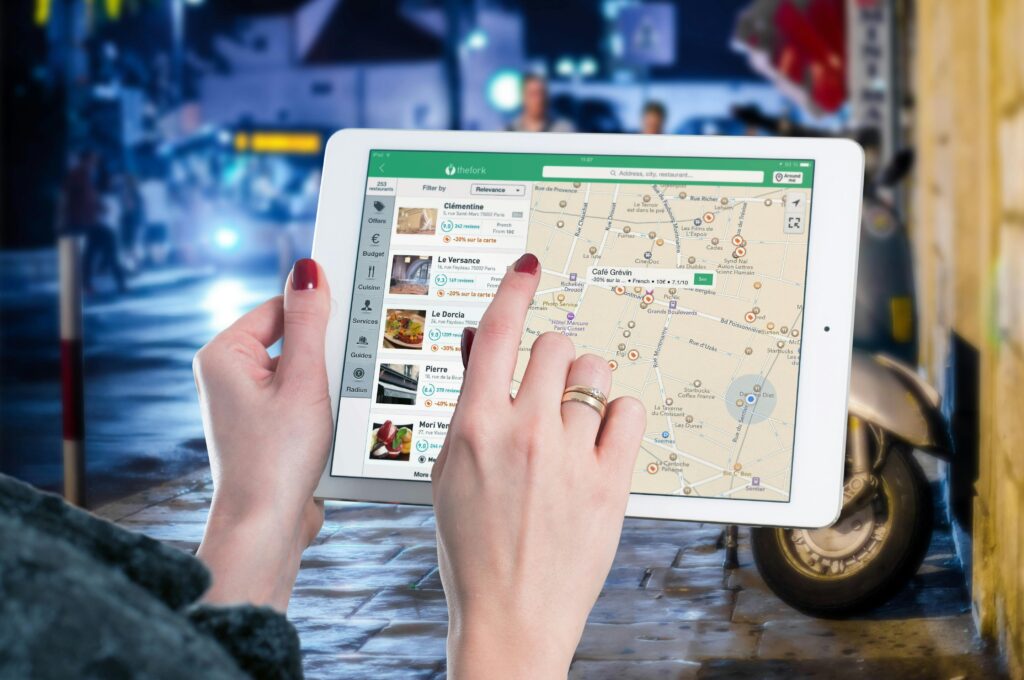
Local SEO Strategy:7 Steps to Dominate Local Search in 2026 When someone in your area searches “plumber near me,” “best Italian restaurant,” or “dentist open now,” does your business appear? If not, you’re invisible to the most valuable customers—people actively looking for exactly what you offer, right when they need it. The numbers tell a compelling story: 76% of people who search for something nearby visit a business within 24 hours 28% of local searches result in a purchase “Near me” searches have grown over 500% in recent years 46% of all Google searches have local intent Local SEO isn’t optional anymore—it’s essential. And in 2026, it’s become more sophisticated than ever. AI-powered search, increased mobile usage, voice search, and evolving algorithms have transformed how local businesses get found online. This comprehensive guide walks you through building a complete local SEO strategy that actually works. You’ll learn exactly what to optimize, where to focus your efforts, and how to measure results. Whether you’re a restaurant, law firm, contractor, retailer, or any business serving local customers, these seven steps will help you dominate local search results. Step 1: Claim and Optimize Your Google Business Profile Your Google Business Profile (GBP) is the single most important element of local SEO. It’s the primary touchpoint between your business and potential customers searching for local services. When people search for businesses like yours, your GBP determines whether you appear in: Google Maps results The “Local Pack” (the top 3 local results with map) Google’s Knowledge Panel AI Overviews and search summaries Claim Your Profile If you haven’t claimed your profile yet, do it immediately: Go to google.com/business Search for your business name If it exists, claim it; if not, create a new profile Verify your business (usually by phone or postcard) Complete Every Section Google rewards complete, detailed profiles. Fill out 100% of your profile: Business Name: Use your real business name (don’t stuff keywords here—Google penalizes this) Categories: Choose your primary category carefully (it’s the most important), then add relevant secondary categories (up to 10) Address: Use your actual physical address exactly as it appears everywhere else online Service Area: If you serve customers at their location, define your service radius or specific areas Phone Number: Use a local number, not a call tracking number here Website: Link to your website (obviously!) Hours: Keep these updated, including special hours for holidays Business Description: Write 750 characters describing what you do, who you serve, and what makes you different (include relevant keywords naturally) Add High-Quality Photos and Videos Visual content dramatically improves engagement: Exterior photos of your business Interior photos showing your space Team photos (people connect with people) Product/service photos Action shots (you doing your work) Before/after photos if applicable Businesses with photos receive 42% more requests for directions and 35% more clicks to their websites. Use Google Posts Post updates regularly (weekly is ideal): Promotions and special offers New products or services Events Company news Holiday hours Posts appear in your GBP and signal to Google that your business is active. Enable Messaging Let customers message you directly through your GBP. Quick responses improve your profile’s visibility. Add Products and Services List everything you offer with descriptions and pricing when appropriate. This helps Google understand what searches should trigger your business. Step 2: Generate and Manage Customer Reviews Reviews are one of the strongest ranking factors in local SEO. They signal trust, relevance, and quality to both Google and potential customers. Why Reviews Matter Improve rankings: More reviews (especially recent ones) boost visibility in the Local Pack and Maps Increase conversions: 88% of consumers trust online reviews as much as personal recommendations Provide context: Review content helps Google understand what you actually do Signal activity: Regular reviews show your business is active and serving customers Build a Review Generation System Don’t just randomly ask for reviews. Create a systematic approach: Identify the right moment: Ask when customers are most satisfied: Right after completing excellent service When a customer gives positive feedback After solving a problem successfully Make it easy: Reduce friction: Send direct links to your GBP review page Use review management tools that automate requests Provide clear, simple instructions Ask the right way: Be personal and genuine Explain why reviews matter to your business Never offer incentives (violates Google’s policies) Example request: “We’re so glad you were happy with [specific service]. If you have a moment, would you mind leaving us a review on Google? It really helps other people in [city] find us. Here’s a direct link: [URL]” Respond to All Reviews Responding shows you care and provides additional context: Positive reviews: Thank them by name Reference specifics from their review Invite them back Negative reviews: Respond quickly (within 24-48 hours) Acknowledge their concern Apologize if appropriate Offer to resolve the issue offline Keep it professional and brief Never argue publicly or make excuses. Your response is for future customers reading the review, not just the reviewer. Monitor Your Reputation Set up Google Alerts for your business name and regularly check: Google Business Profile reviews Facebook reviews Industry-specific review sites (Yelp, TripAdvisor, Healthgrades, Avvo, etc.) Better Business Bureau Step 3: Build Consistent Local Citations Citations are online mentions of your business name, address, and phone number (NAP). They help Google verify your business and improve local rankings. If you believe you meet the eligibility criteria, here’s the exact process: What Are Citations? Citations appear in: Online directories (Yellow Pages, Yelp) Chamber of Commerce websites Industry-specific directories Local news sites Business listing sites Social media profiles While logged into Facebook with admin permissions for the Page you want to verify (or logged into the profile you want verified), navigate to Facebook’s verification request form. Note that this link only works if you’re properly logged in with admin access. The Consistency Rule Your NAP information must be identical everywhere it appears. Inconsistent information confuses Google and can hurt rankings. Consistent: Emile Meyer Web Design 123 Main Street, Suite 5 Denver, CO
10 Obsolete SEO Tactics That Will Hurt Your Rankings in 2026

How to Get Your Facebook Page or Account Verified in 2026 That blue checkmark on Facebook isn’t just about status—it’s about credibility, visibility, and trust. In an era where fake accounts and impersonation are rampant, Facebook verification has become essential for businesses, creators, and public figures who want to establish authentic online presences. But getting verified on Facebook isn’t automatic, and it’s not always easy. The process has evolved significantly, especially with the introduction of Meta Verified, Facebook’s paid subscription service. Now there are two distinct paths to verification: the traditional free route (which is highly selective) and the paid Meta Verified program (which is more accessible but still requires meeting specific criteria). Whether you’re a small business owner trying to build credibility, a content creator protecting your brand, or an organization looking to stand out in search results, this comprehensive guide will walk you through everything you need to know about Facebook verification in 2026. What Is Facebook Verification? Facebook verification is the process by which Meta confirms that an account or Page authentically represents the person, brand, or organization it claims to represent. Verified accounts and Pages display a blue checkmark badge next to their name, signaling to users that Facebook has validated their authenticity. The blue verification badge serves several purposes: Trust Signal: It tells users they’re interacting with the real account, not an imposter or fan page. Search Priority: Verified Pages and accounts appear higher in Facebook search results, making them easier to find. Brand Protection: It makes impersonation more difficult and helps prevent confusion among your audience. Feature Access: Verified accounts may gain access to additional features, analytics, and advertising options. Professional Credibility: For businesses and public figures, the badge adds legitimacy and professionalism. Two Paths to Verification in 2026 As of 2026, there are two distinct ways to get verified on Facebook: Traditional (Free) Verification This is the original verification program Facebook launched in 2013. It’s completely free but highly selective. Facebook evaluates accounts based on authenticity, uniqueness, completeness, and notability. This path is increasingly difficult to navigate as Facebook prioritizes its paid program. Who It’s For: Well-known public figures, major brands, entities frequently searched for on Facebook, and accounts with significant media coverage. Meta Verified (Paid Subscription) Launched in 2023, Meta Verified is a subscription service that provides verification badges along with additional benefits. Pricing varies by plan: Standard Plan: $14.99/month Plus Plan: $49.99/month Premium Plan: $149.99/month Max Plan: $499.99/month (for large businesses with employee protection) Who It’s For: Anyone willing to pay and meet basic authentication requirements, including small businesses, emerging creators, and professionals building their online presence. Important: Even paid subscribers must meet eligibility requirements and provide government-issued ID. Payment doesn’t guarantee approval—it just makes the process more accessible. Requirements for Traditional (Free) Verification If you’re pursuing the free verification route, Facebook has strict eligibility criteria: Authenticity Your account or Page must represent a real person, registered business, or legitimate entity. You’ll need to provide documentation proving your identity or business registration. Uniqueness You must be the only Facebook presence for that person or business. Exceptions exist for language-specific accounts (like “@YourBrand” and “@YourBrandFrancais”), but generally, one person or entity gets one verified account. Completeness Your profile or Page must be fully filled out, including: Profile photo Cover photo (for Pages) About section with complete information At least one recent post Active engagement history Notability This is the most challenging requirement. Facebook wants to verify accounts that people actually search for and care about. You need to demonstrate public interest through: Significant media coverage (news articles, interviews, features) Large following (no official minimum, but typically 10K+ helps significantly) High search volume for your name or brand Recognition in your industry or field Documentation for Notability: Links to news articles mentioning you/your brand (up to 5) Press releases or media coverage Evidence of search demand for your name Industry awards or recognition Verified presence on other platforms Policy Compliance You must follow Facebook’s Terms of Service and Community Standards. Any violations disqualify you from verification and can result in losing an existing badge. Step-by-Step: Applying for Traditional Verification If you believe you meet the eligibility criteria, here’s the exact process: Step 1: Access the Verification Request Form While logged into Facebook with admin permissions for the Page you want to verify (or logged into the profile you want verified), navigate to Facebook’s verification request form. Note that this link only works if you’re properly logged in with admin access. Step 2: Choose Your Verification Type Select whether you’re verifying a Page or personal profile. The requirements are similar, but profile verification tends to be more stringent as it’s typically reserved for public figures. If verifying a Page, select which Page from the dropdown menu of Pages you manage. Step 3: Upload Authentication Documents For personal profiles: Government-issued photo ID (driver’s license, passport, national ID) Must show your legal name and photo For business Pages: Business license or registration Tax registration documents Articles of incorporation Official business documentation confirming legal entity Important: Self-filed tax documents are typically not accepted. You need official government-issued business documentation. Step 4: Select Your Category Choose the category that best describes your Page or profile: News/Media Sports Music Entertainment Government/Politics Brand/Product Artist/Public Figure Local Business Choose carefully—your category affects how Facebook evaluates your notability. Step 5: Provide Country and Audience Information Enter your primary country or region, describe your audience or followers, and include any alternate names or acronyms (AKAs) your brand or persona is known by. Step 6: Demonstrate Notability This is the most critical step. Provide links to up to five sources that demonstrate public interest in your account: News articles mentioning you or your brand Media interviews or features Industry publications Verified Wikipedia page High-authority website mentions Choose your strongest evidence. Quality matters more than quantity—one feature in a major publication beats five small blog mentions. Step 7: Submit and Wait After completing all sections, click “Send” to submit your application. Processing Time: Facebook’s